
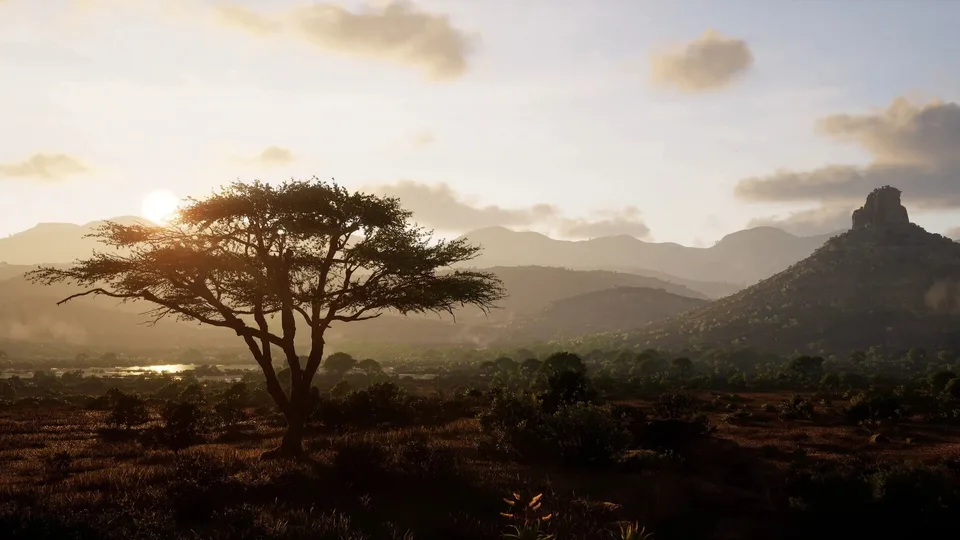
The thrill of the hunt is back, and it is more visually stunning and mechanically complex than ever before. As players prepare to track game across the vast wilderness of North America and the rugged terrains of Africa, one question looms large for PC gamers: does their current setup meet the Way of the Hunter 2 system requirements? Achieving the perfect shot in this realistic simulation demands not only patience and skill but also a PC capable of handling the game’s advanced ballistics and dynamic ecosystems.
Whether you are a veteran of the first title or a newcomer looking to experience the most authentic virtual hunting adventure, understanding the technical demands is the first step toward a smooth experience. In this guide, we will break down the official Way of the Hunter 2 system requirements, discuss how to optimize your settings for the best performance, and look at how the game’s deep mechanics—like herd management and dog companions—impact your hardware.
Understanding the Way of the Hunter 2 System Requirements
When Nine Rocks Games designed this sequel, they aimed to push the boundaries of what a hunting simulator could achieve. This ambition comes with a cost: high graphical fidelity and complex AI behavior require a robust machine. To ensure you aren't left struggling with frame drops while trying to line up a shot on a trophy bull, you need to verify your hardware against the official standards.
The following table outlines the minimum and recommended specifications provided by the developers. It is important to note that while the minimum requirements will get the game running, the recommended specs are what you should aim for to enjoy the full, immersive experience that the developers intended.
| Component | Minimum Requirements | Recommended Requirements |
|---|---|---|
| OS | Windows 11 (64-bit) | Windows 11 (64-bit) |
| Processor | Ryzen 5 3600X / Core i5-9600K | Ryzen 5 7600X / Core i5-14600K |
| Memory | 16 GB RAM | 16 GB RAM |
| Graphics | GeForce RTX 2060 / Radeon RX 5600 XT | GeForce RTX 4060 Ti / Radeon RX 7600 XT |
| DirectX | Version 12 | Version 12 |
| Storage | 38 GB available space | 38 GB available space |
Why Are the Hardware Demands High?
You might wonder why a hunting game requires such powerful hardware. Community feedback suggests that players are sometimes surprised by the intensity of the performance load. The answer lies in the game’s core architecture. Way of the Hunter 2 is not just about placing a character in a forest; it is about simulating a "living ecosystem."
The game engine must constantly process:
- Advanced Ballistics: The improved bullet camera, which allows you to analyze trajectory, speed, and angle, requires significant real-time calculation.
- Dynamic Weather: Features like thunderstorms and changing lighting conditions are not just cosmetic; they affect the visibility and behavior of the game, demanding more from your GPU.
- Complex AI: Animals in the game react naturally to their surroundings. They track movement, respond to habitat conditions, and interact with the environment, which places a heavier load on your CPU than simpler, arcade-style hunting titles.
Because of these factors, the Way of the Hunter 2 system requirements are designed to ensure the game’s complex systems don't experience "hiccups" during critical moments, such as when you are tracking a wounded animal through dense brush.
Optimizing Your PC for the Hunt
If your hardware falls slightly short of the recommended specs, you don't necessarily need to upgrade immediately. There are several ways to optimize your PC to get the most out of your current rig. Based on player discussions and technical benchmarks, here are some actionable tips to improve performance.
1. Manage Background Processes
Since the game is CPU-intensive, ensure you close resource-heavy applications before launching. Web browsers with multiple tabs, video editing software, or unnecessary background updaters can steal precious cycles from the game’s AI processors.
2. Adjust Graphical Settings
If you are struggling to maintain a stable frame rate, focus on the settings that impact the GPU the most. Shadows, volumetric fog, and foliage density are usually the biggest culprits.
| Setting | Impact on Performance | Recommendation for Low-End PCs |
|---|---|---|
| Shadow Quality | High | Set to Medium or Low |
| Foliage Density | Very High | Set to Medium |
| Volumetric Fog | High | Disable or Set to Low |
| Resolution Scale | Extreme | Set to 90% or use DLSS/FSR |
3. Update Your Drivers
Always ensure you are running the latest GPU drivers. Both NVIDIA and AMD frequently release "Game Ready" drivers that include optimizations for major releases like this one. Checking your manufacturer’s software can often yield a 5-10% performance boost.
Gameplay Mechanics and Performance Impact
The depth of Way of the Hunter 2 extends far beyond just graphics. The community has been actively discussing the intricacies of "herd management" and the new dog companion system. Understanding these mechanics is not just about gameplay strategy; it helps you appreciate why the game demands more from your system.
Herd Management and Genetics
A major part of the gameplay involves managing herds. As players have noted in recent community reports, you are not just hunting; you are an ecosystem manager. You must identify animals with high fitness percentages—aiming for 85% or above for the best trophies—and cull the lower-fitness animals to improve the herd's genetics over in-game years.
This mechanic requires the game to track the status, age, and genetics of individual animals across the entire map. This persistent tracking is another reason why the game’s CPU requirements are higher than older, static hunting games. When you are scouting a large area, your PC is essentially running a database of hundreds of individual animal entities, all of which are updating their behavior in real-time.
The Dog Companion
The introduction of the dog companion adds a layer of immersion and technical demand. The dog’s ability to track blood trails, flush game, and follow commands involves sophisticated animation and pathfinding logic. When you are in the field, your PC is calculating the dog’s position and behavior relative to the terrain, the player, and the prey.
Tip
Pro Tip for Optimization If you notice the game stuttering when your dog is tracking, try lowering the "View Distance" setting. This reduces the amount of geometry and AI the game needs to render and process in the distance, freeing up resources for the immediate area where your dog is working.
Comparing the Evolution of the Series
When looking at the Way of the Hunter 2 system requirements in the context of the series' history, it is clear that Nine Rocks Games has prioritized long-term support and scalability. Unlike the first game, which was built on a foundation that had to cater to a wider range of older hardware, the sequel is built to leverage modern architecture.
The shift toward more realistic, high-fidelity environments—including the dangerous wildlife of Africa and the dense forests of North America—means that the engine is doing significantly more heavy lifting. Players who are used to the performance profile of the first game might initially be surprised by the demands of the sequel, but the trade-off is a much more responsive and authentic simulation.
FAQ: Common Questions About System Requirements
Q: Can I run Way of the Hunter 2 on a Steam Deck? A: The game is currently listed as "Playable" on Steam Deck. While you can run it, you should expect to use lower graphical settings to maintain a stable frame rate. It is highly recommended to cap the frame rate to 30 FPS for a smoother experience on the handheld device.
Q: Do the Way of the Hunter 2 system requirements change if I play in co-op? A: Generally, the requirements remain the same, but playing in online co-op can sometimes place a higher load on your CPU due to network synchronization of the game world and animal behaviors. If you experience lag in co-op, try lowering your graphical settings slightly below what you use in single-player.
Q: Will the game run on an HDD (Hard Disk Drive)? A: While the game might technically launch, it is strongly recommended to install Way of the Hunter 2 on an SSD. The game’s massive, open-world environments rely on fast asset streaming. Using an HDD will likely result in significant texture pop-in, stuttering, and long loading times, which can ruin the immersion of the hunting experience.
Q: Why does the game require 16GB of RAM? A: The 16GB requirement is standard for modern simulation games. The engine needs to keep the entire local ecosystem—including animal AI, map data, and player inventory—in memory to ensure seamless transitions between hunting zones and the lodge.
Final Thoughts on Hardware Readiness
Preparing your PC is the final step before you can fully immerse yourself in the wilderness. By carefully reviewing the Way of the Hunter 2 system requirements and ensuring your machine is optimized, you can focus on what really matters: the hunt. Whether you are tracking a legendary moose in the Rockies or navigating the dangers of the African savanna, having a stable, well-performing PC will ensure that every shot counts and every moment of the experience is as breathtaking as intended.
For the most up-to-date information and to purchase the game, you can always visit the official Way of the Hunter 2 Steam page. Happy hunting, and may your lodge be filled with five-star trophies.